
Lighthouse Scores and how to Understand Them
Understanding Your Website's Lighthouse Score
What the numbers mean and why your mobile score is lower than you'd expect.
What is Lighthouse?
Lighthouse is a free, automated tool built by Google. It loads one page of your website, runs a long list of checks, and produces a report card scored from 0 to 100 in four areas. It is also the engine behind Google's PageSpeed Insights, so when you "run a PageSpeed test," you are really running Lighthouse.
The most important thing to know up front: a Lighthouse score is a diagnostic, not a verdict. It is a health check-up that points to opportunities to improve. It does not measure whether your site "works," whether it looks good, or whether your customers are happy. Plenty of successful, profitable websites run with scores in the 50s and 60s.
How the scores are colored
Every category is scored 0 to 100 and lands in one of three bands:
|
0-49
Poor
|
50-89
Needs work
|
90-100
Good
|
Green is the goal, but it is not a pass/fail line. The difference between an 88 and a 92 is rarely something a visitor would ever notice.
What each section measures
Lighthouse reports four separate scores. Each one looks at a different part of the page:
| Performance | How quickly the page loads and becomes usable. This is the score people focus on most, and the one most affected by large images, heavy scripts, and third-party tools (chat widgets, analytics, ads). |
| Accessibility | How easily people with disabilities can use the page: screen-reader labels, color contrast, text size, and keyboard navigation. |
| Best Practices | Whether the page follows modern web standards: a secure (HTTPS) connection, no broken code in the browser console, correctly sized images, and similar technical hygiene. |
| SEO | Whether the page has the basics search engines need to find and understand it: a title tag, a meta description, a valid robots file, and mobile-friendly text. This is a checklist of fundamentals, not a prediction of how you will rank. |
Why your mobile score looks worse than desktop
This is the question we are asked most often, so it is worth explaining clearly.
Lighthouse does not test your mobile site on a fast laptop with office Wi-Fi. For the mobile score it deliberately simulates an average phone on a slow connection:
- The processor is throttled to roughly 4x slower than a normal test machine.
- The network is throttled to about a slow 4G connection, far slower than home or office broadband.
- The device emulated is a mid-range Android phone, not the latest flagship.
This is intentional. Google built the test to reflect a realistic worst case, not the fast computer the site was built on. Picture a visitor on an older phone, on a patchy signal, standing in a parking lot. A low mobile score is also not unusual: even large, well-resourced retailers score this way. Here are two real examples:
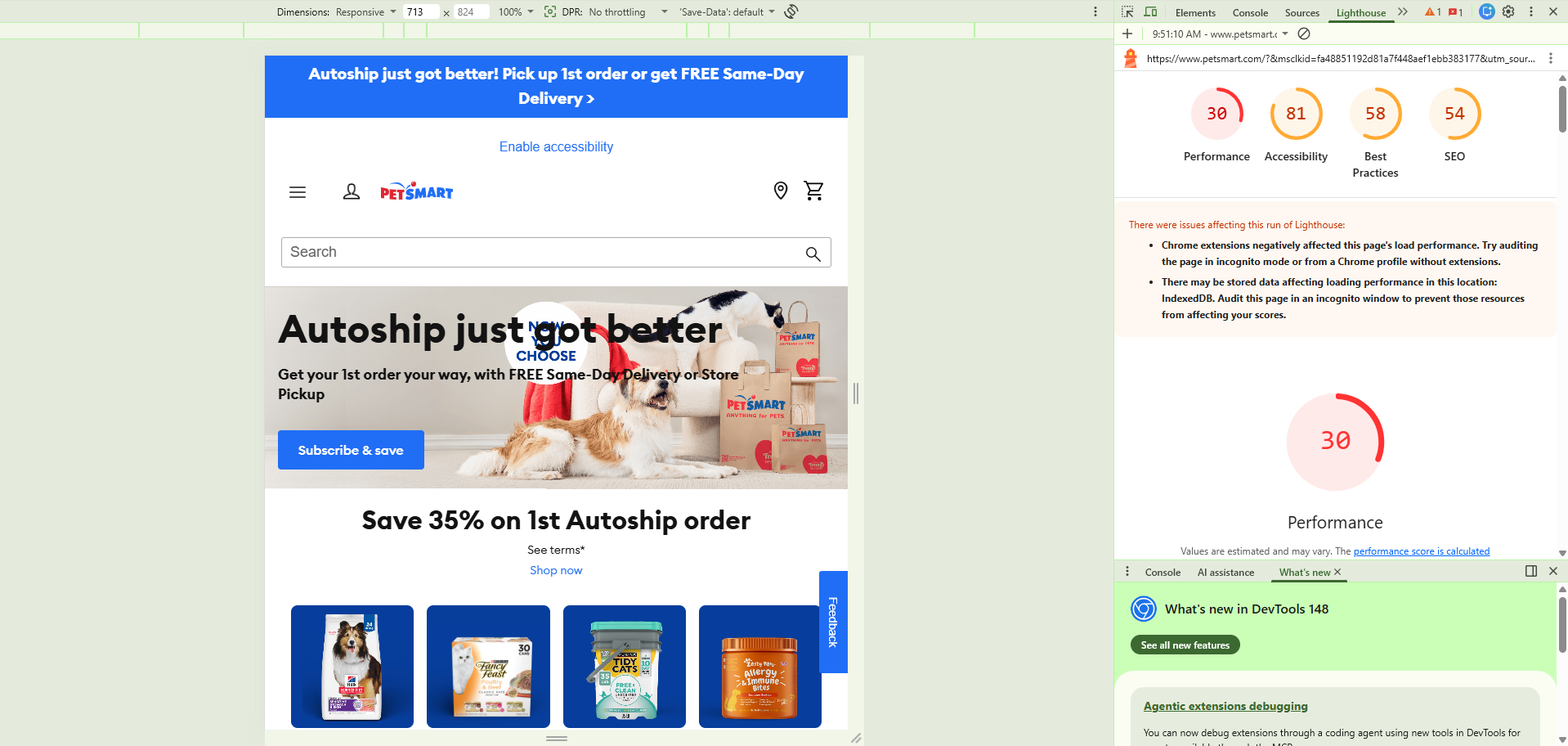
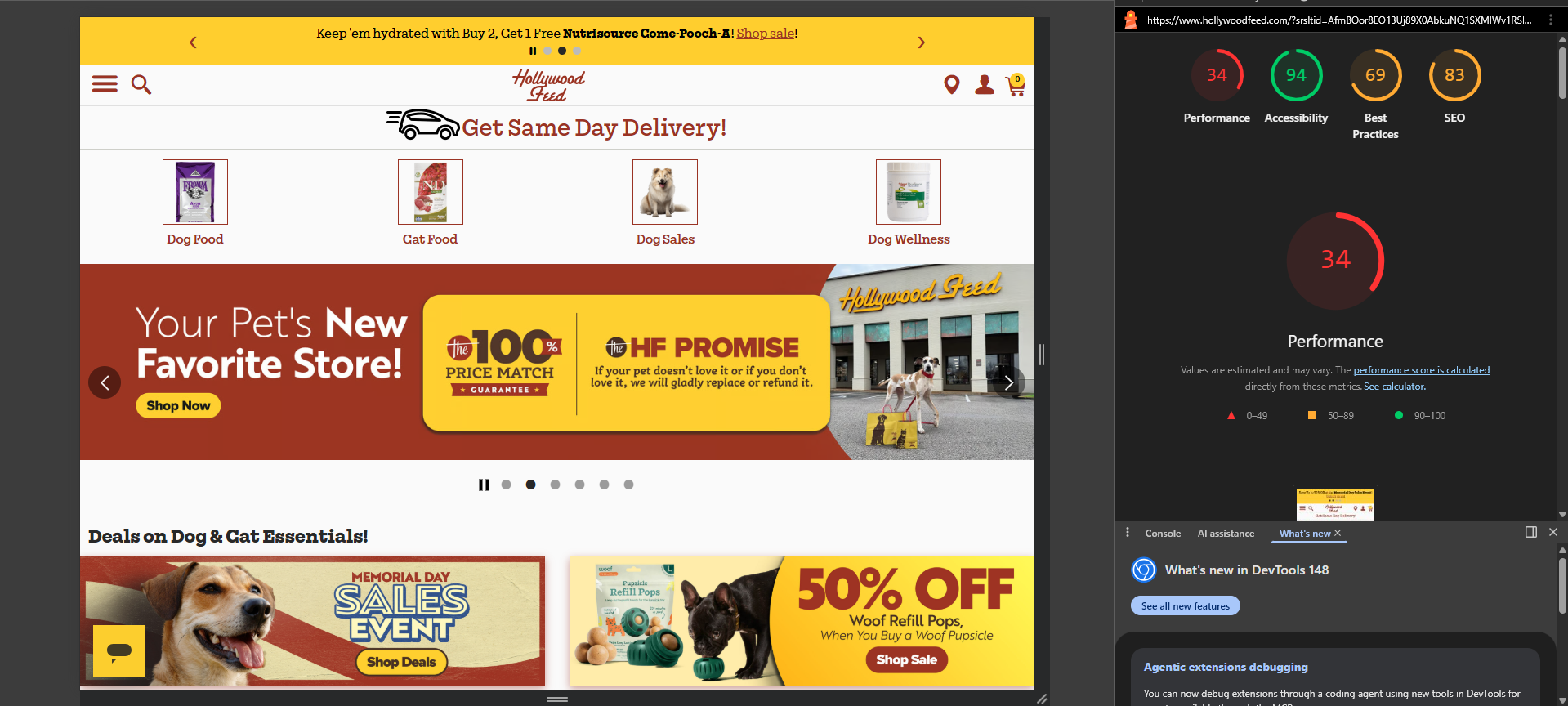
Each of these is a single Lighthouse run, and scores shift from one run to the next. But the pattern is consistent: heavy, script-laden retail sites routinely post low mobile scores.
What about your site's accessibility widget?
Your website includes an accessibility widget, the button a visitor can open to adjust things like color contrast, text size, and spacing to suit how they browse. It is worth knowing how that relates to the Accessibility score, because the two are separate.
The widget sits as a layer on top of your site and gives visitors personal display controls. The Lighthouse Accessibility score works differently. It inspects only the page's own underlying code, such as image labels, the contrast built into the design, and form-field labels. Because it measures the code and not the widget, adding the widget does not raise the Accessibility score. A score below 100 is not a sign the widget isn't working. It simply means Lighthouse has found details in the page's code worth improving.
What the score does and doesn't tell you
Lighthouse is useful for spotting specific, fixable issues, like an oversized image, a render-blocking script, or a missing label. The detailed report underneath the score is where the real value is; that list is effectively a prioritized to-do list.
It is not a direct measure of your search ranking, your sales, or how satisfied your customers are. Google does use real-world speed data as one minor ranking factor, but that is based on what actual visitors experience over time, not a single lab test. Content, relevance, and reputation matter far more for ranking than a Lighthouse number.
The bottom line
Watch the trend, not the absolute number. A score that is holding steady or climbing is a healthy sign; a sudden drop is worth investigating. Aim for green where it is reasonable to get there, expect mobile to always score lower than desktop, and use the detailed report as a checklist rather than a grade.