
Blog Post AI
Objective
Learn how to create and publish blog articles on your NextPaw website using the Blog feature. This guide also includes best practices to improve visibility and engagement with your content.
Why Use Blog Posts?
Regularly publishing blog posts is one of the most effective ways to improve your website visibility in search engines like Google. Blog content allows you to target specific keywords, answer customer questions, and demonstrate your expertise, all of which can support stronger SEO.
Here are a few ways blog posts can help:
- Keyword Targeting: Each post can focus on a specific phrase shoppers search for, which can help your site appear in results.
- Fresh Content: Search engines often favor websites that are updated regularly.
- Internal Linking: Blog posts can link to service pages, product pages, or FAQs to guide visitors and support site structure.
- Increased Time on Site: Helpful content keeps visitors engaged longer, which can signal value to search engines.
- Long Tail Search Visibility: Question style topics often have lower competition and can be easier to rank for.
Beyond SEO, blogging also builds trust with your audience. When your blog answers common questions or shares helpful insights, it positions your business as a knowledgeable resource that keeps pet parents coming back.
How to Add a Blog Post
- Access the Blog Section
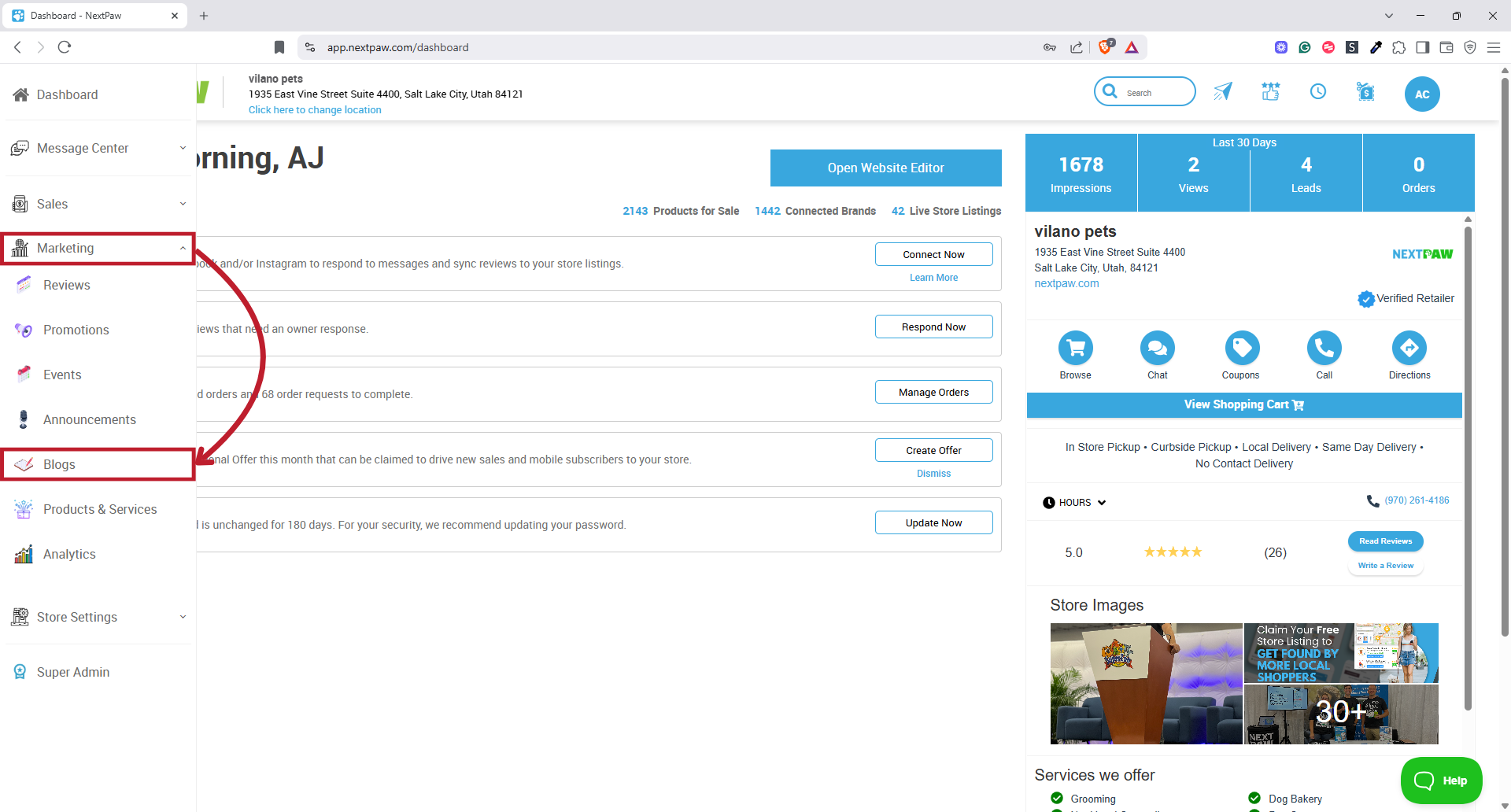
- From the NextPaw Dashboard, select Marketing from the left hand menu.
- Select Blog.

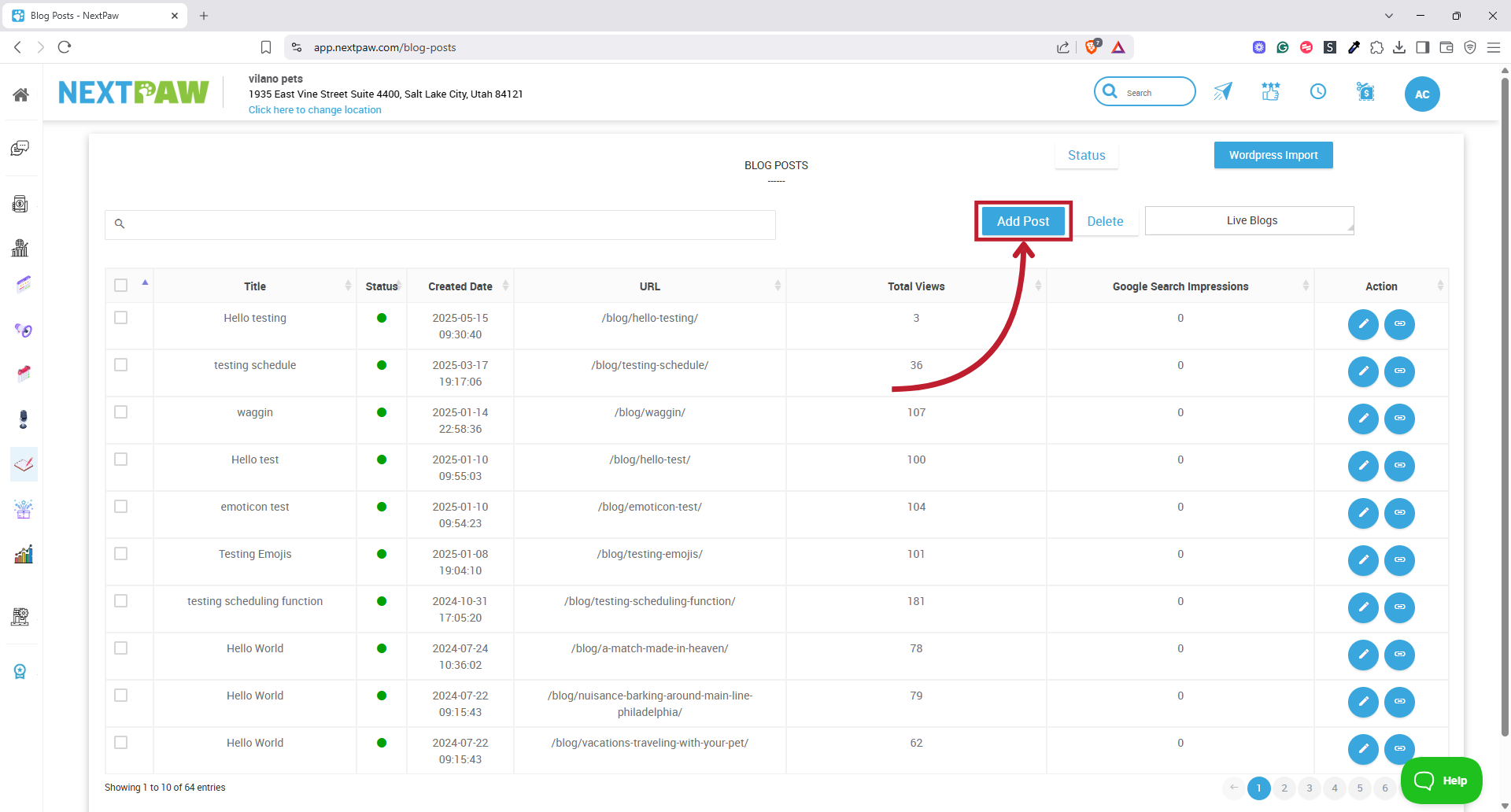
- Click Add Post in the top right corner.

- Enter Blog Content
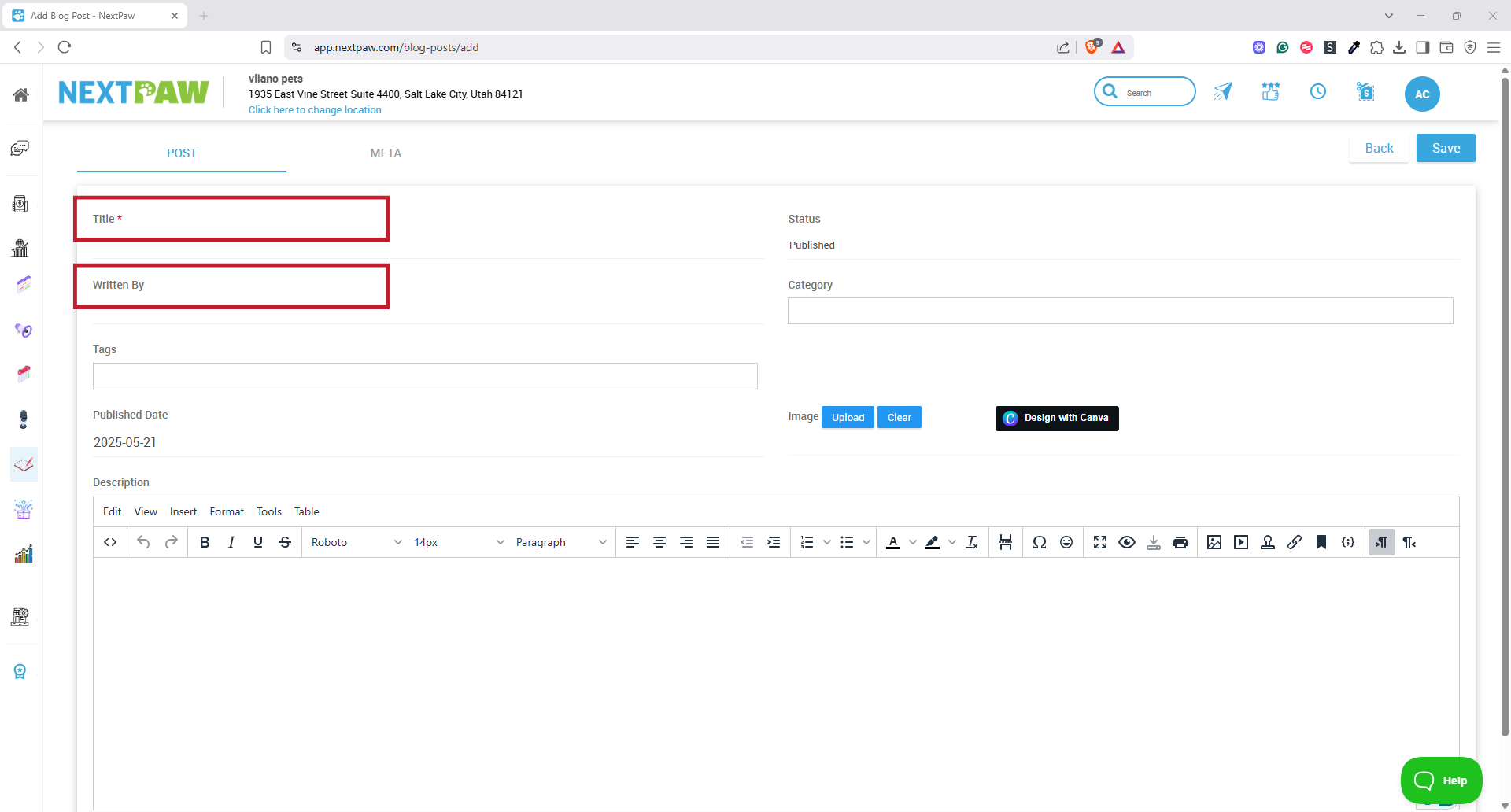
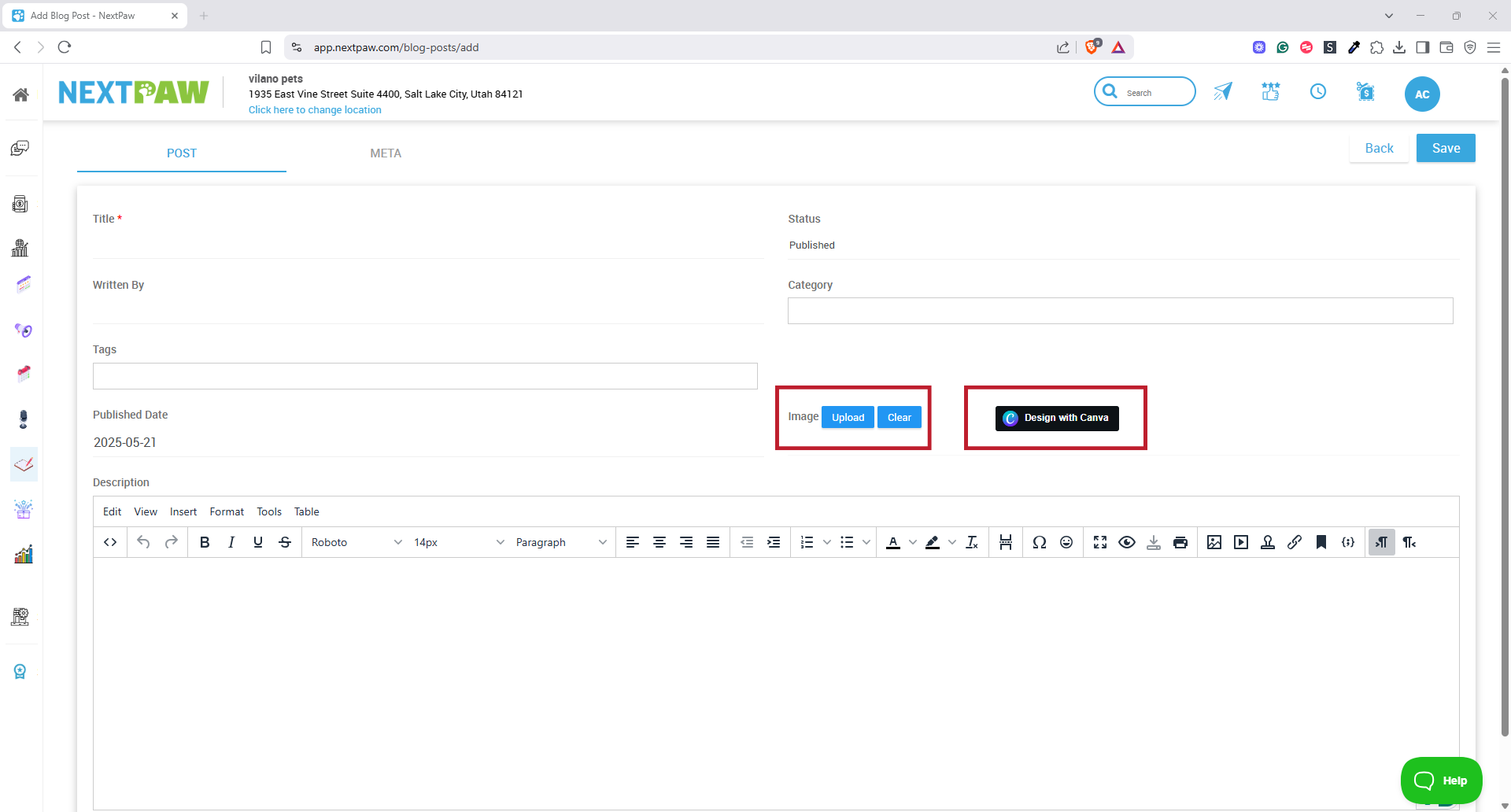
- Title: Add a title that reflects the topic or question being answered.
- Written By: Add the author’s name to give your blog a personal or expert touch.

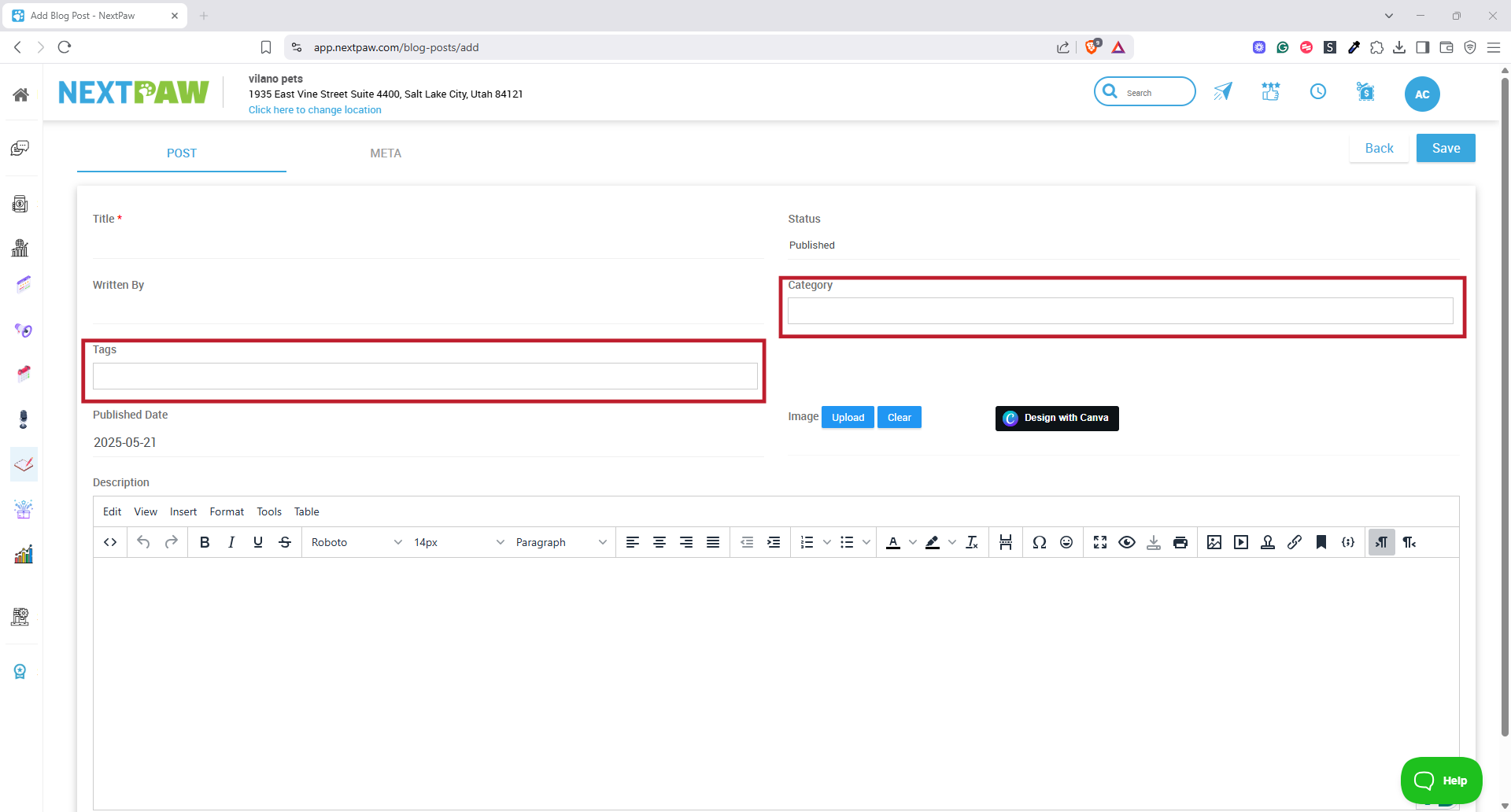
- Category: Choose a broad topic area for your post (example: Nutrition, Training).
- Tags: Add specific keywords to describe the content (example: raw food, puppies, dog health).

- Publish Date: Set the date you want the post to go live on your website. This supports scheduling future content.
- Description: Write the body of your article. You can add text, images, videos, or PDF downloads. Use the editor toolbar to format your content and add media.
- Image Upload: Upload a blog cover image that will appear as the featured image for the post.
- Canva Integration: If you want to design your own cover image, click the Canva button to open the editor and create a custom graphic.

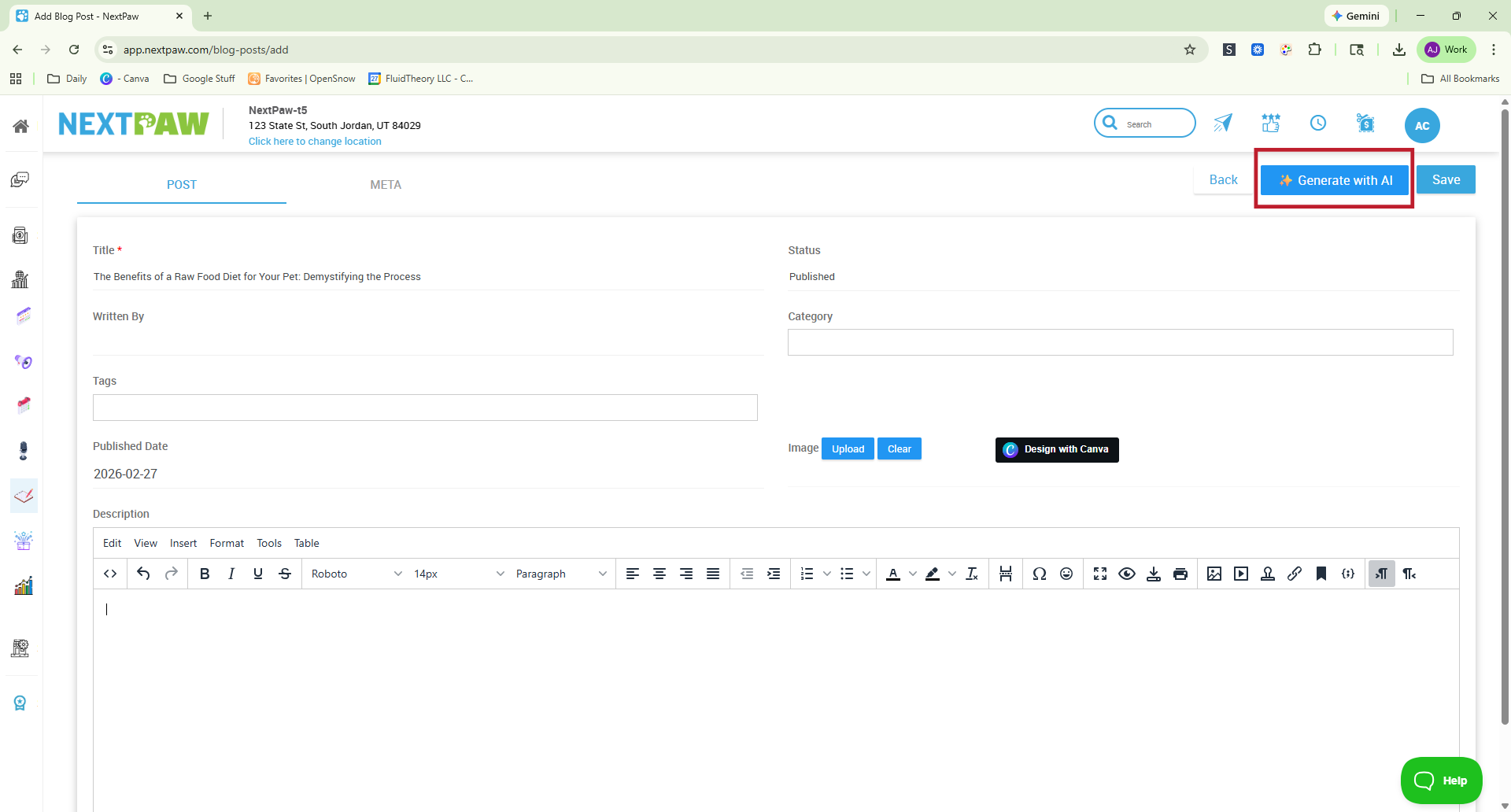
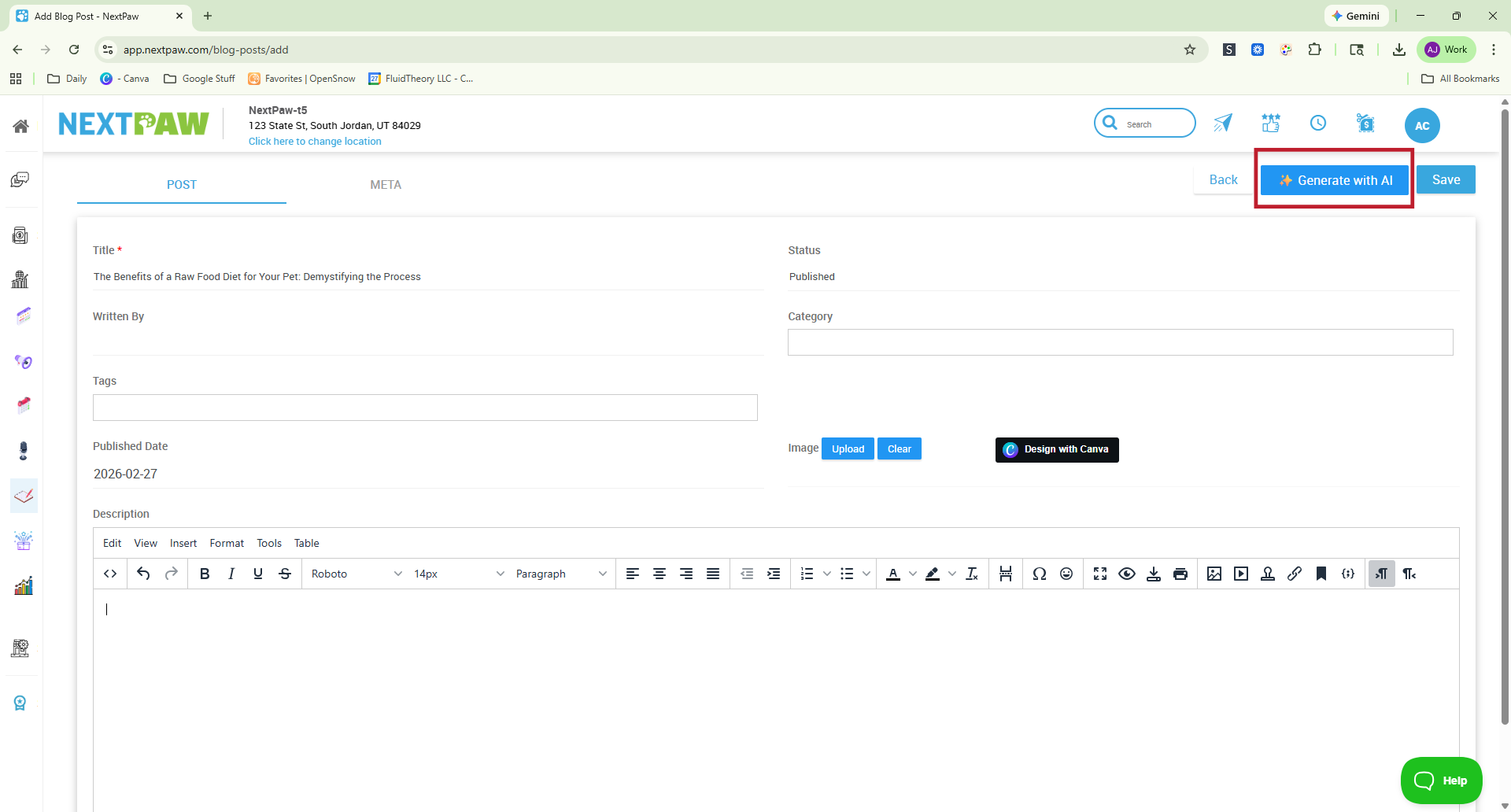
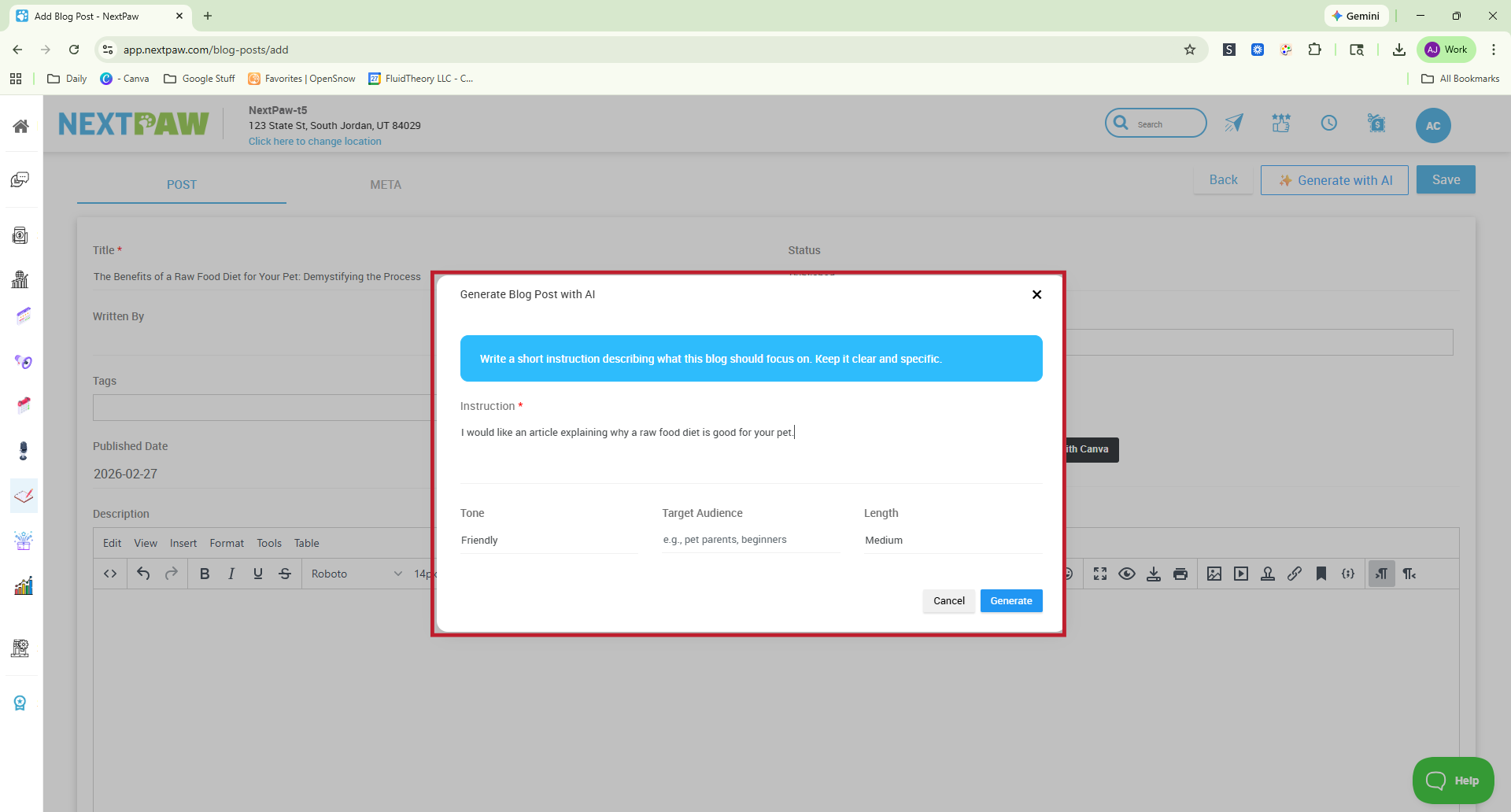
- Generate with AI: After adding your details, select Generate with AI.
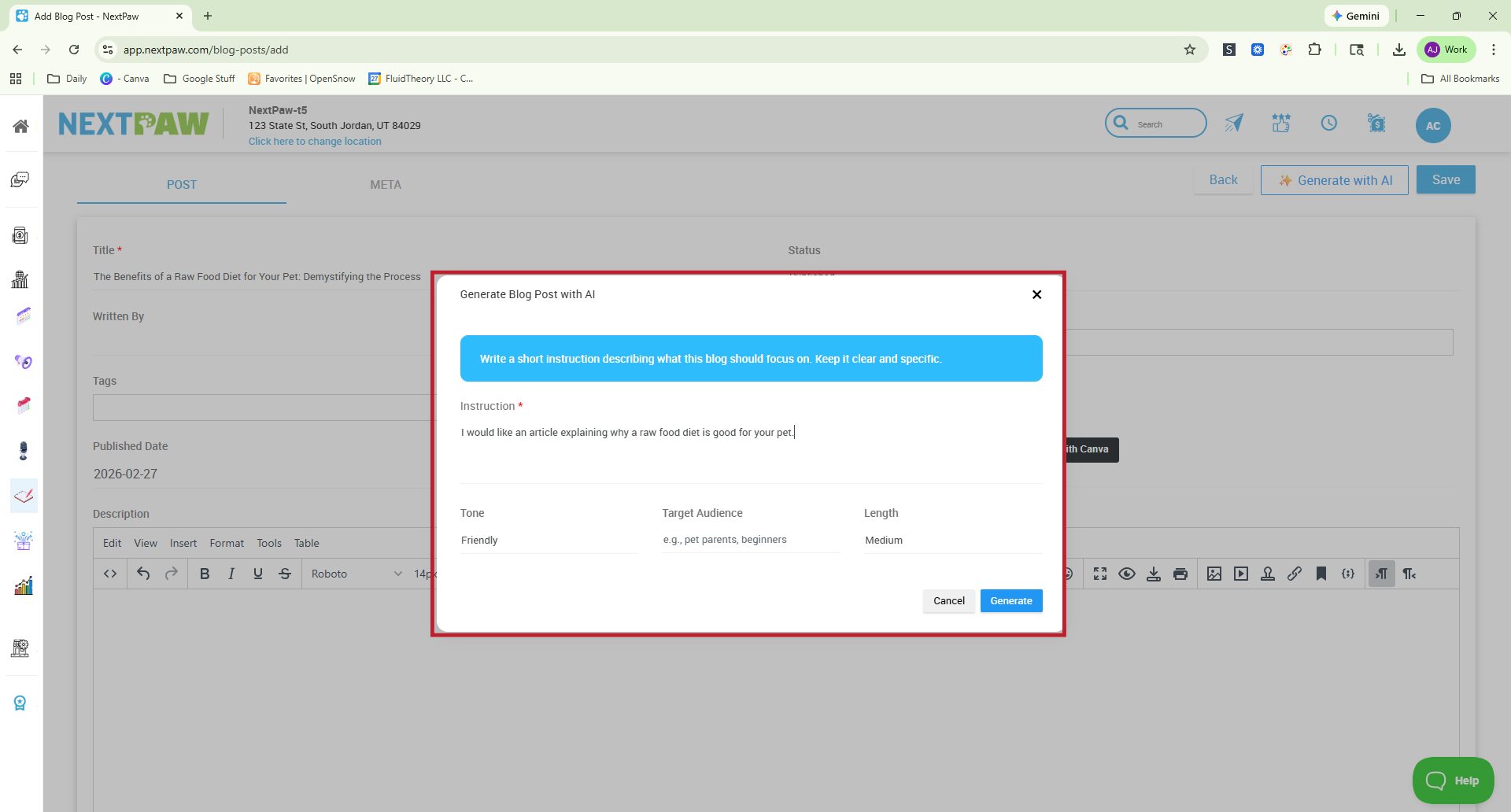
You will then choose options for writing style, article length, and target audience.
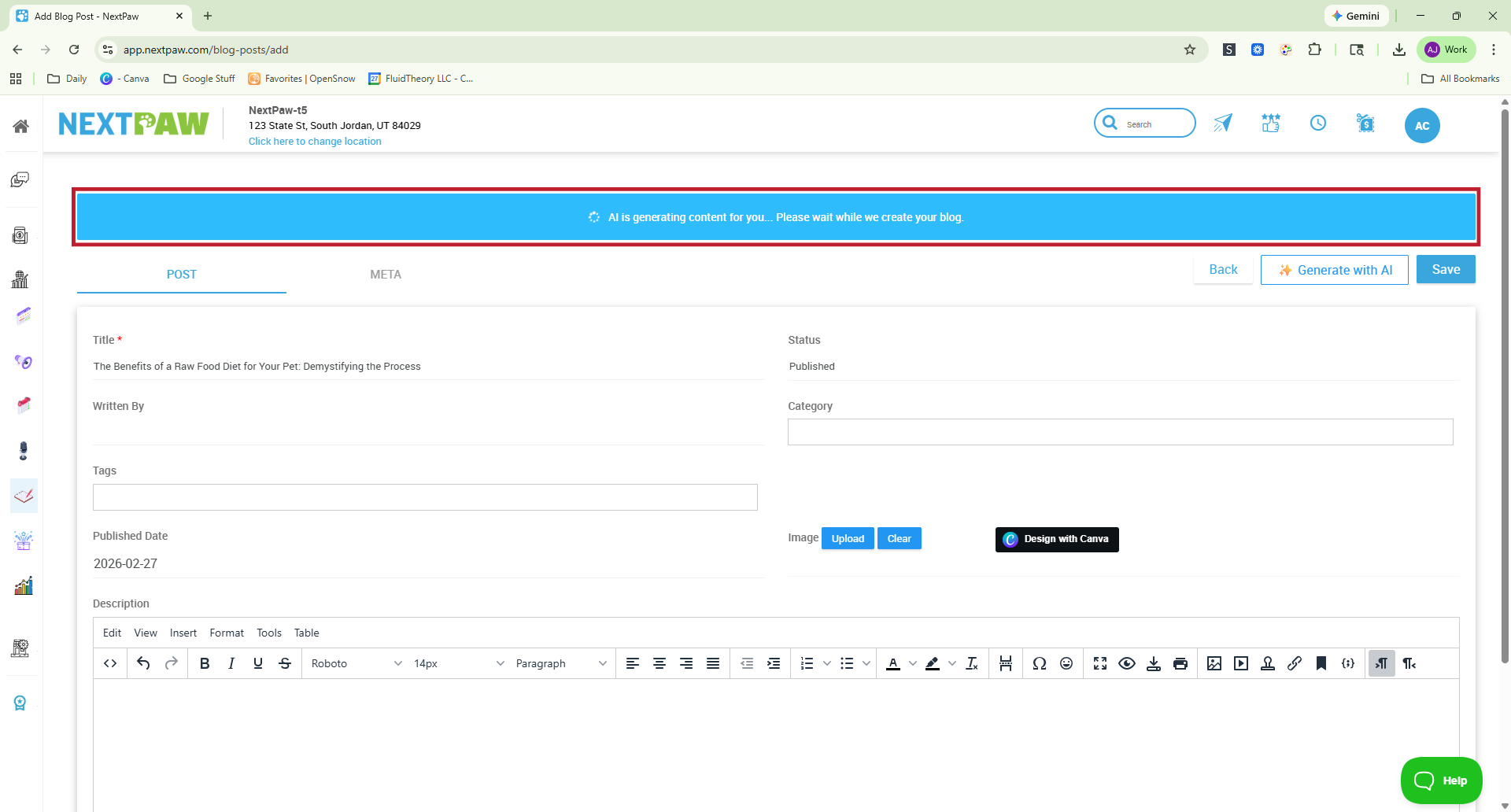
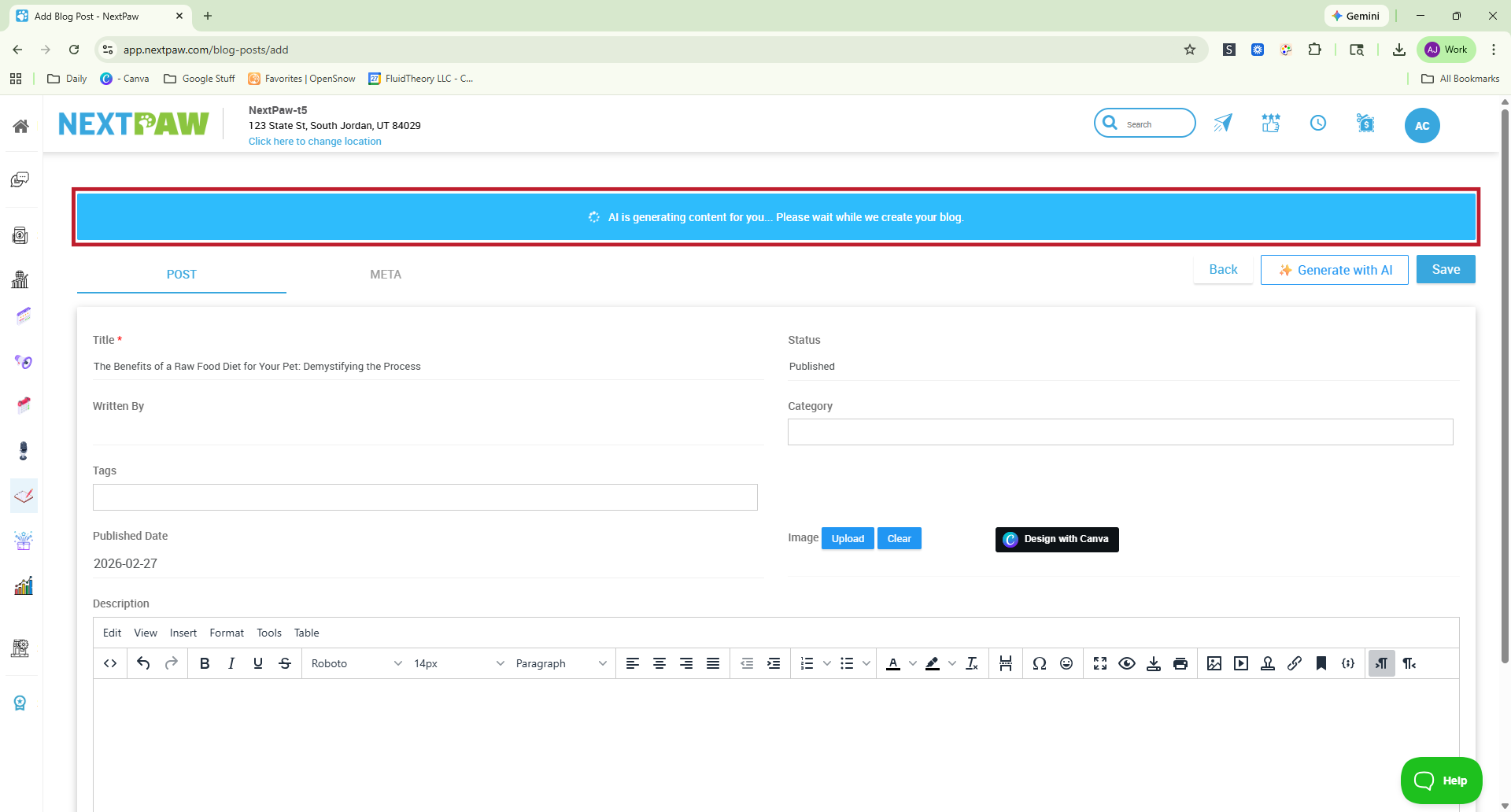
The AI will take a few minutes to generate your article.
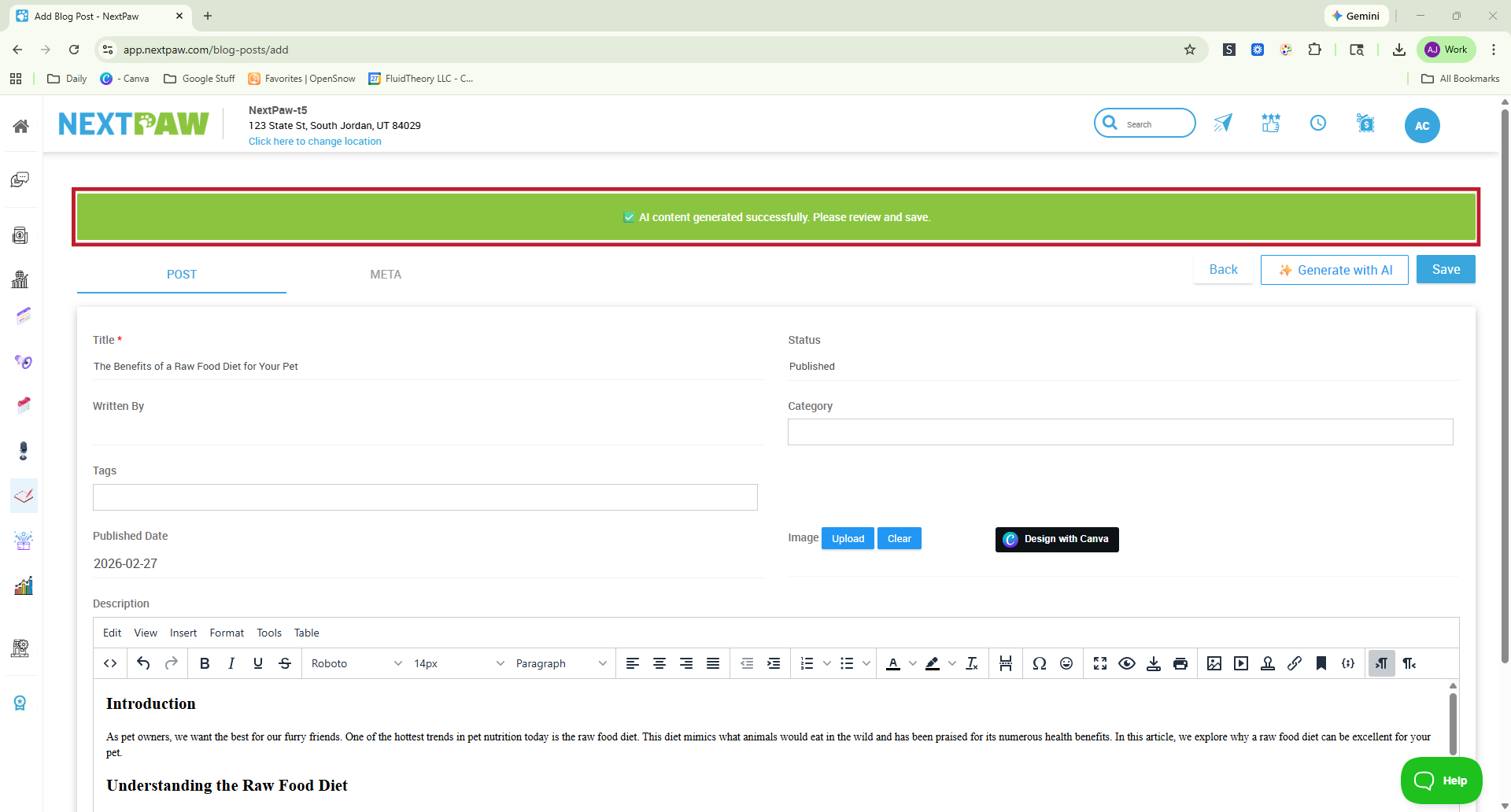
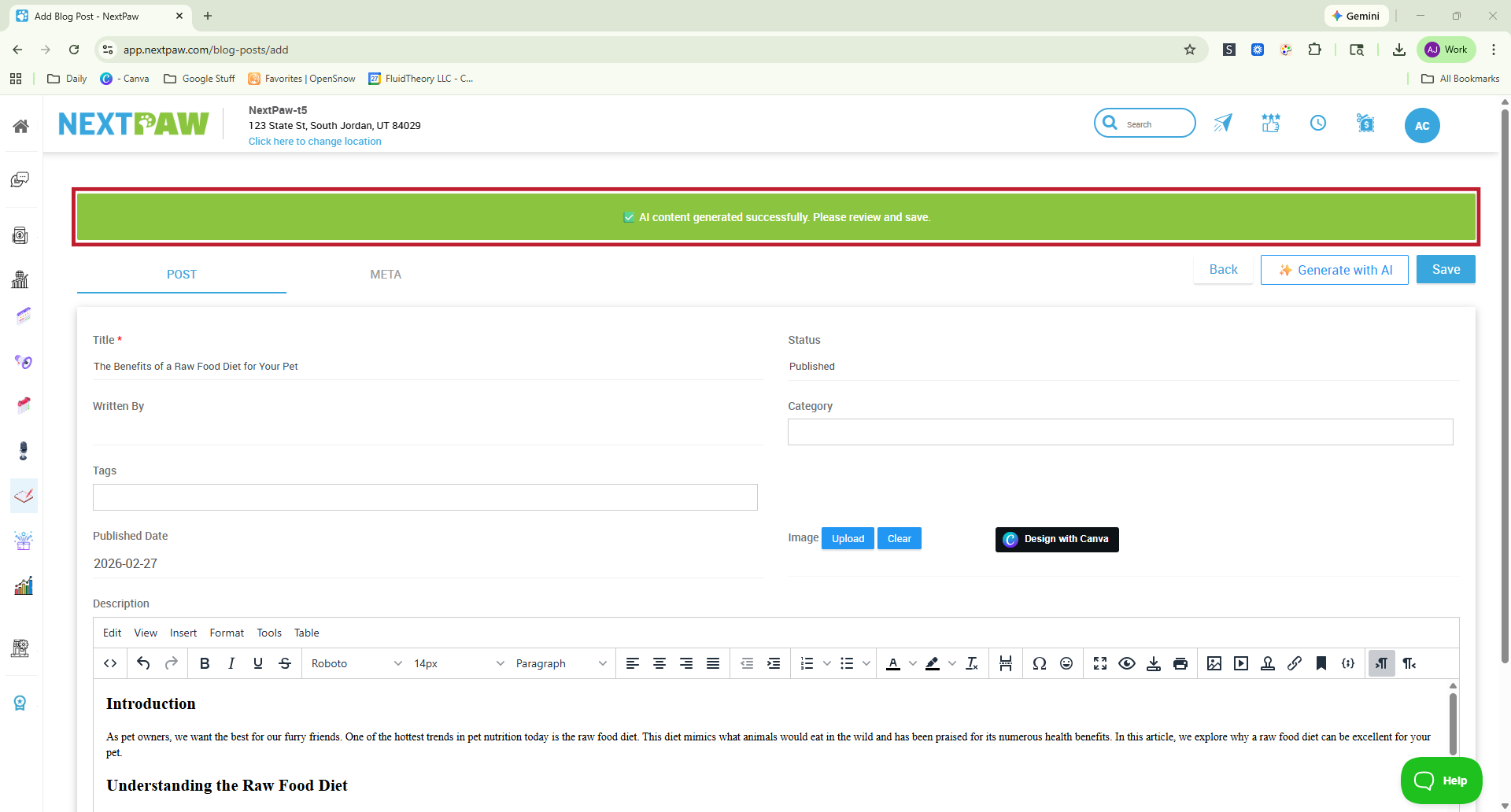
Once finished, you will see a confirmation message and the content will appear in the Description field.
Set Visibility Options
Control how and when your blog post appears on your website by choosing one of the following options.
- Location: If your account has multiple locations, select which location(s) should display the post.
- Published: The post will be visible on your website after saving.
- Unpublished: The post remains hidden until the Publish Date you set. It will automatically go live on that date.
- Draft: Save your work without publishing so you can return later.
Save and Publish
When you are ready, click Save or Publish to make the post live on your website.
Final Tips
- Use real customer questions as blog titles to naturally match search queries.
- Include 1 to 2 high quality images to increase engagement.
- Link to related products, services, or FAQs within your article.
- Share each blog post on social media to increase reach.
- Post consistently, at least once per month, to stay active in search results.
💡 SEO Boost
Blog posts are one of the most powerful tools for improving your local search visibility. Each post creates a new opportunity to show up when pet parents search for answers, services, or products in your area.
- More indexed pages on your website
- More keyword opportunities for local searches
- More authority and trust signals over time
- More paths for shoppers to discover your business
Consistent blogging helps position your business as a trusted resource, not just a service provider.
Need Help?
If you need assistance with creating or managing your blog posts, reach out to our team at Support@NextPaw.com.